
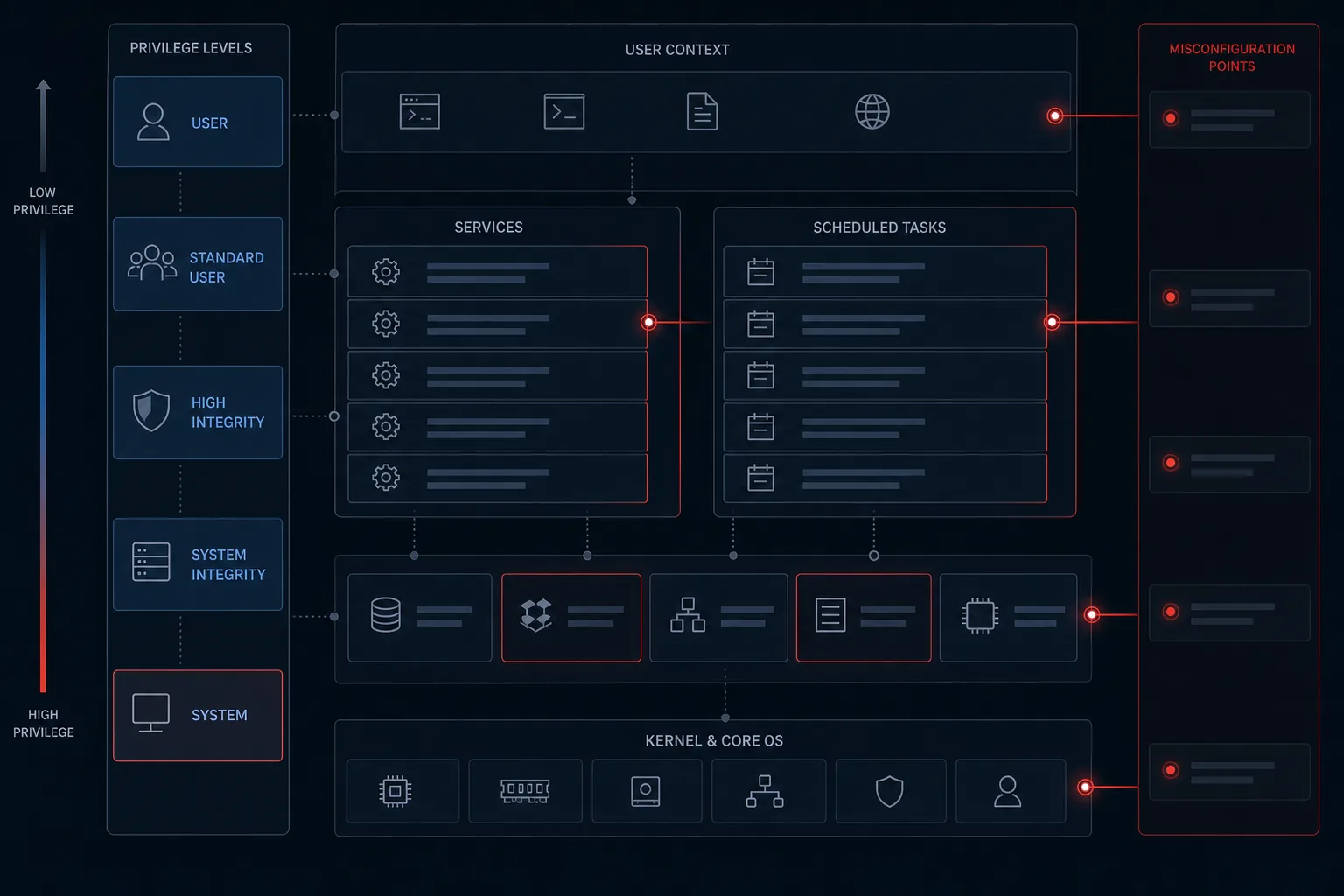
Local privilege escalation is the step between a foothold and control of the host. On Windows, it is frequently not a novel exploit. It is a service that runs as SYSTEM, a directory anyone can write to, a registry key that a standard user can change, or a password left in a place the operating system never intended to be public.
This article consolidates the misconfiguration classes that appear repeatedly in Windows assessments. The focus is recognition, detection, and hardening — not a sequence for taking a host over.
What privilege escalation means
Privilege escalation is any path that lets a principal gain rights it was not granted. Horizontal movement uses another account of similar power. Vertical movement reaches a more powerful identity — often local administrators or NT AUTHORITY\SYSTEM. This article is concerned with the vertical, local case.
Why local privilege escalation matters
Endpoint detection, application control, and least-privilege policies all assume that a standard user stays a standard user. If a low-privilege process can change a SYSTEM service, those controls are bypassed from inside the machine. In enterprise incidents, this is often how a phishing foothold becomes ransomware with domain impact.
Insecure service configurations
Windows services frequently run as SYSTEM. If a non-privileged user can change the service's binary path or configuration (SERVICE_CHANGE_CONFIG or equivalent), they can point that trusted identity at a different executable. The service itself becomes the escalation mechanism.
Related issues include service binaries that are writable by Users or Everyone, and AutoRun executables that start at logon with high privilege and weak file permissions. In each case the operating system is doing what it was told; the access control on the file or service was wrong.
Unquoted service paths
When a service image path contains spaces and is not quoted, Windows may parse the path in segments. If a writable directory sits earlier in that path, a planted executable can be launched instead of the intended binary. The combination that matters is: SYSTEM service, unquoted path with spaces, and a writable prefix directory.
Weak registry permissions
Service configuration also lives in the registry. If a logged-on user can write the ImagePath (or equivalent) for a SYSTEM service, they can redirect what that service executes. Interactive users should not have write access to HKLM service keys.
Scheduled task weaknesses
Scheduled tasks that run as a privileged account and invoke a writable script or binary are a classic escalation path. Assessment looks at who can change the task, who can write the file it runs, and whether the task is still required. Listing tasks and inspecting the filesystem around privileged jobs is a standard hardening review, not an exotic technique.
Credential exposure
Windows will store secrets in more places than teams remember. AutoLogon values under Winlogon, other registry strings that contain passwords, and backup copies of SAM and SYSTEM in repair or backup directories can expose password hashes or cleartext credentials. Hashes may also be reused for authentication without cracking — which is why protecting SAM, LSA, and backup hives is part of privilege management, not only password policy.
Dangerous configuration defaults
AlwaysInstallElevated, when enabled for both machine and user policy, allows a Windows Installer package to run with elevated rights. It is a convenience setting that becomes an escalation path. It should not be enabled on production endpoints. Shared or documented local admin passwords, and GUI applications that spawn privileged child processes a user can hijack, belong in the same bucket: defaults and shortcuts that outlive their justification.
Detection
- Inventory services that run as SYSTEM or a privileged account, and review who can change them
- Find unquoted service paths and writable directories on those paths
- Audit ACLs on service binaries, AutoRun targets, and HKLM service keys
- Review scheduled tasks for privileged run-as identities and writable actions
- Search for AutoLogon, password-bearing registry values, and SAM/SYSTEM backups outside protected locations
- Confirm AlwaysInstallElevated is not enabled
Automated enumeration tools can speed this review. They do not replace judgement about which findings are reachable from a standard user on a given build.
Remediation and hardening
- Run services with the least privilege that still meets the business need
- Quote service paths and remove write access for non-admin users on service directories and binaries
- Lock down service registry keys and AutoRun file locations
- Restrict who can create or modify scheduled tasks, and store task payloads in protected paths
- Disable AutoLogon, remove password material from the registry, and protect SAM/SYSTEM backups
- Ensure AlwaysInstallElevated is disabled and local administrator passwords are unique and vaulted
Windows privilege escalation is largely a permissions problem. Security teams that treat services, tasks, and secrets as first-class configuration — and who re-test after changes — close the paths that assessments keep rediscovering.